import type { GridPlugin } from ' @revolist/revogrid ' ;
type PivotConfigDimension,
} from ' @revolist/revogrid-enterprise ' ;
progressLineWithValueRenderer,
} from ' @revolist/revogrid-pro ' ;
export const PIVOT_PLUGINS : GridPlugin [] = [FilterHeaderPlugin, RowSelectPlugin, SameValueMergePlugin, PivotPlugin, AdvanceFilterPlugin, RowOddPlugin] as any [];
export const ECOMMERCE_PIVOT : PivotConfig = {
filterPlaceholder : ' Age? ' ,
columnProperties : ( column ) => {
if (column.children && column.name === ' 00:00 ' ) {
filter : [ ' string ' , ' selection ' ],
filter : [ ' string ' , ' selection ' ],
filter : [ ' string ' , ' selection ' ],
filterPlaceholder : ' Total Spend? ' ,
{ value : 900 , className : ' high ' },
{ value : 600 , className : ' medium ' },
cellProperties : mergeCellProperties (thresholdRenderer, ({ value }) => ({
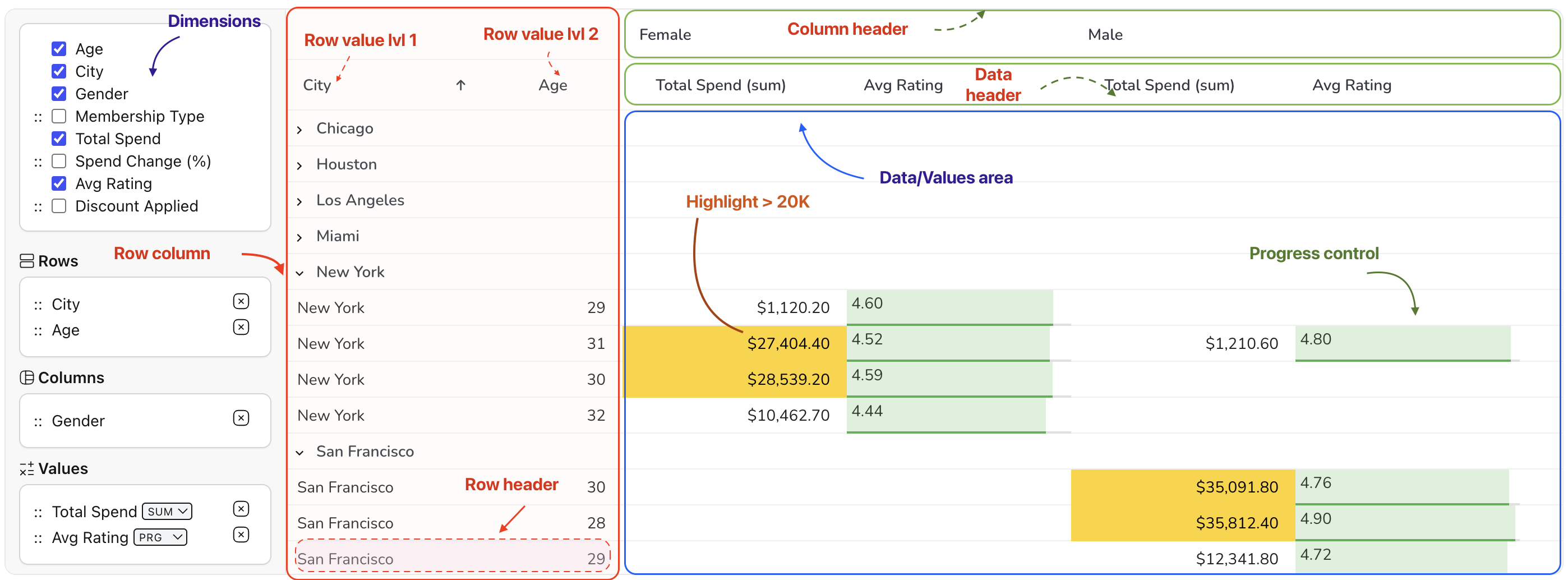
highlight : value > 20000 ,
sum : commonAggregators.sum,
avg : commonAggregators.avg,
min : commonAggregators.min,
max : commonAggregators.max,
prop : ' Spend Change (%) ' ,
cellTemplate : changeRenderer,
filter : [ ' number ' , ' slider ' ],
filterPlaceholder : ' Avg Rating? ' ,
{ value : 4 , className : ' high ' },
{ value : 3 , className : ' medium ' },
{ value : 0 , className : ' low ' },
cellParser : ( model , column ) => {
const value = model[column.prop];
const column : PivotConfigDimension = args[ 1 ].column;
if (column.dimension === ' values ' ) {
switch (column.aggregator) {
return ratingStarRenderer ( ... args);
return progressLineRenderer ( ... args);
return progressLineWithValueRenderer ( ... args);
prg : commonAggregators.avg,
star : commonAggregators.avg,
prgvalue : commonAggregators.avg,
prop : ' Discount Applied ' ,